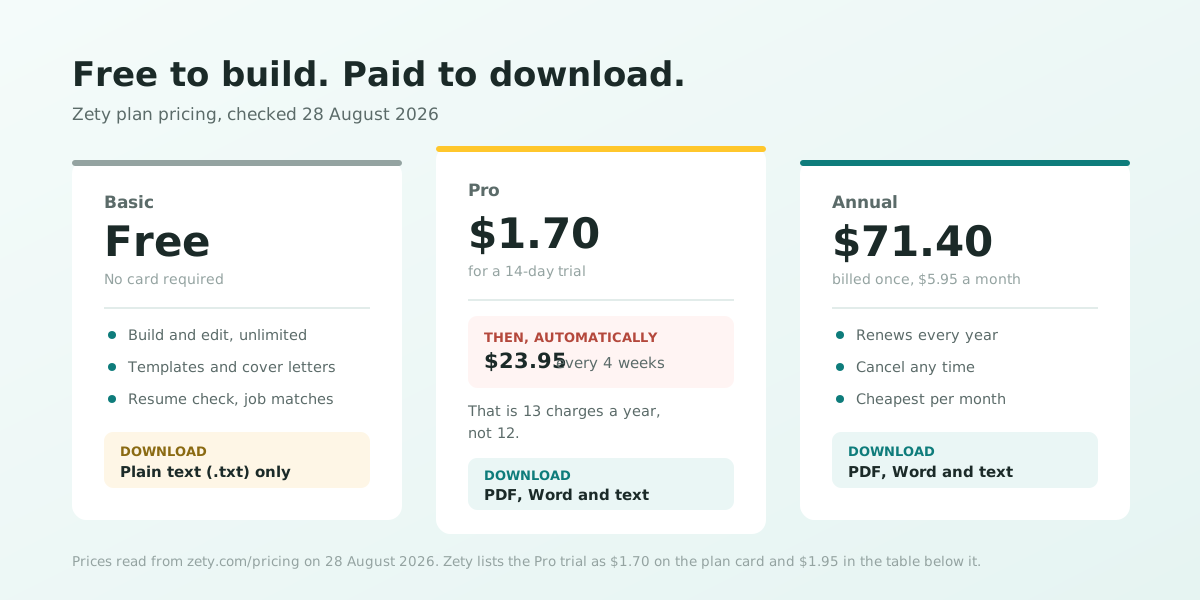
Zety is free to build with and free to edit, and it charges you when you want to download the finished résumé as a PDF or a Word file. That is the entire answer, and most people meet it the same way: they finish writing, click Download, and get asked for a card.
What follows is the actual pricing, read off Zety's own pricing page and terms of service on 28 August 2026, along with the exports the free plan genuinely does allow. We should declare our interest up front: we make a résumé builder too, and we also charge for downloads. So this is not an argument that paying is outrageous. It is an attempt to state plainly what the charge is, because the most common complaint about Zety is not the price, it is finding out about it at the end.
What Zety actually charges right now
These are the three plans exactly as Zety lists them, checked on 28 August 2026. Prices are in US dollars and change from time to time, so treat the date as part of the figure and confirm at checkout.
- Basic – free. The résumé builder, the templates, the cover letter builder, the résumé check and job matches, with unlimited edits. Downloads are limited to plain text only.
- Pro – a 14-day trial, then $23.95 billed every four weeks. Adds downloads in PDF, Word and text. Zety's plan card shows the trial at $1.70; the comparison table further down the same page shows $1.95. Read the number on the checkout screen rather than the one in the headline.
- Annual – $71.40 charged once, which Zety describes as $5.95 a month. It renews yearly and can be cancelled at any time.
One detail is worth pausing on, and Zety does state it plainly on the page: Pro is billed every four weeks, not monthly. A year holds thirteen four-week periods rather than twelve, so a Pro subscription left running costs about $311 a year across thirteen charges of $23.95. That also makes Zety's save 77% claim on the annual plan accurate: $71.40 really is about 77% less than $311.35.
The free things Zety genuinely offers
It is easy to read "paid builder" and assume the free plan is a demo. It is not. The Basic plan is a working product, and quite a lot sits inside it at no cost and with no card:
- The full résumé builder and cover letter builder, with unlimited edits, prints and re-downloads.
- The template library. Zety's pricing table cites 18+ résumé templates, and its gallery lists several hundred pre-filled variations by role and colour, all of which you can fill in for free.
- A plain text export. The free plan downloads your finished résumé as a text file. This is a real export of your real content, offered by Zety itself.
- Résumé Check, which Zety says identifies 30+ issues, plus its instant job matches.
- Free template examples and the guide library. Zety's terms note it "offers free template examples that might be downloaded and modified at any time," and its résumé examples and how-to guides are open to anyone.
What happens to your résumé if you never subscribe
Nothing dramatic, and this is the part worth knowing before you panic on the paywall screen. Zety's terms of service are explicit: as a registered user you "will always be able to view and edit these documents, but will not be able to print, download or share unless you have an active Subscription."
They go further, and it is a fair policy: that access "will be available even after canceling your Subscription, so you are able to come back at any time and have all your documents waiting for you." There is no countdown and no deletion. Your draft sits in your account whether you pay or not, which means the decision to subscribe is never urgent, and you can leave it there while you decide.
How to get your content out of Zety
Your employment history, your bullet points and your wording are yours. Zety's paid plans sell the formatted PDF and Word export, not ownership of the sentences you typed. There are two legitimate ways to take your writing with you, and both use features Zety puts in front of you:
- Export the text file from the free plan. It is the export Basic includes, it contains everything you wrote, and it opens anywhere.
- Or copy the text out of the editor, section by section, into a plain document. Slower, same result.
- Then rebuild the layout somewhere else. Paste each section into another builder, or into a Word or Google Docs template, and lay it out again.
Rebuild it free in EvoResume, step by step
This is our product, so weigh it accordingly, and read the next section before you decide, because our free tier has a hard limit of its own. The rebuild itself takes about ten minutes:
- Open your Zety text export, or the document you pasted your sections into.
- Create an EvoResume account. No card is requested at any point during signup.
- Pick a template. All 20 are open on the free plan, including the single-column ATS template.
- Paste your sections across: contact details, experience, education, skills. Keep the wording you already refined.
- Watch the live ATS score as you edit. It updates while you type and quotes the lines that cost you points, which is the part worth doing before you pay anyone for a PDF.
- Fix what it flags, then decide whether to export.
Rebuild your résumé and see the score first
Every template, the full editor and the live ATS score are free. You only pay when you want the PDF.
Samples to write your bullets against
Re-typing your sections is the easy half. The hard half is judging whether a bullet is any good, and there a worked example beats an empty template. We publish 25 full résumé samples by profession, each a complete document rather than a fragment, with a section-by-section walkthrough of why the bullets are written the way they are. All of them are free to read and need no account:
- Healthcare and education: nurse, teacher.
- Office and analysis: accountant, data analyst, project manager, human resources.
- Skilled trades and transport: electrician, chef, truck driver, airline pilot.
- Technical and commercial: software engineering, sales, banking and finance, plus a first CV for fresh graduates.
Read the one closest to your job, then go back to your own draft and ask the same question of every line: does this say what happened, and by how much? That single edit moves more of the checks a scanner runs than any template change will.
The templates you would be rebuilding into
Five of the twenty, to show what the range looks like. Jake is the one to take if you are unsure: a single column of plain text, which is the layout that survives parsing most reliably and the one the ATS template guide recommends. The rest trade a little of that safety for a more finished look. All twenty are open to write in on the free plan, and all twenty are one-column unless the card says otherwise:
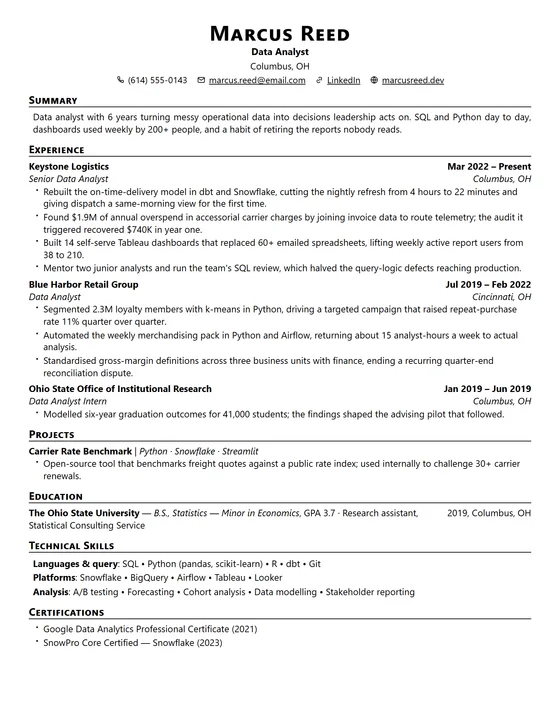
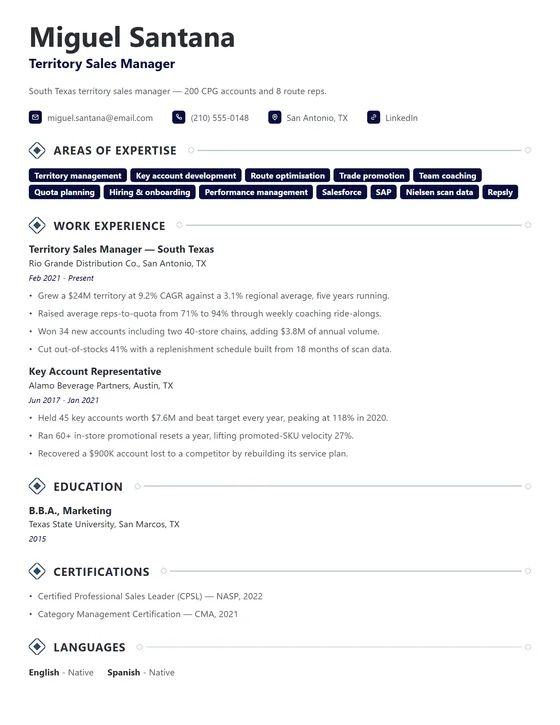
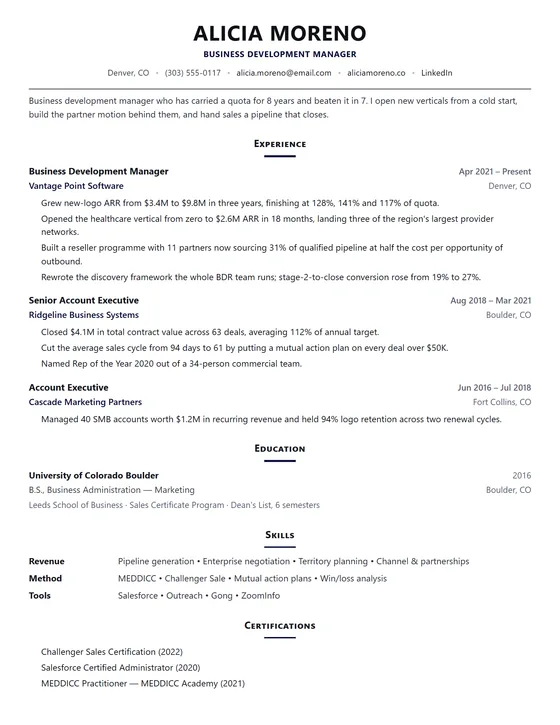
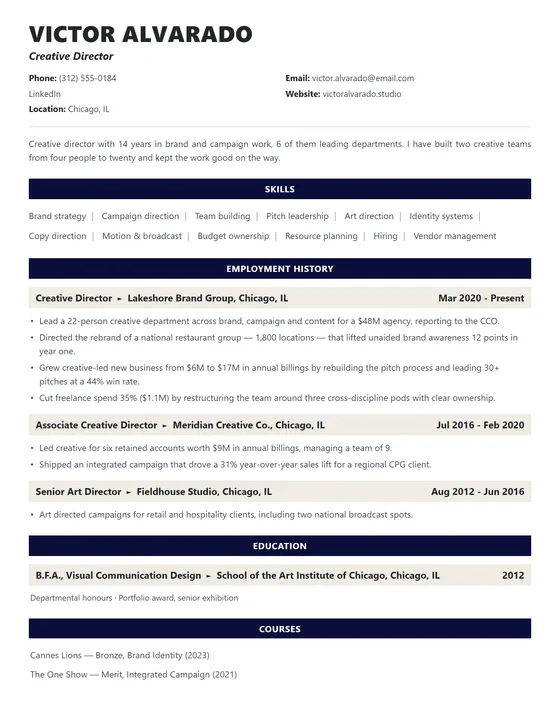
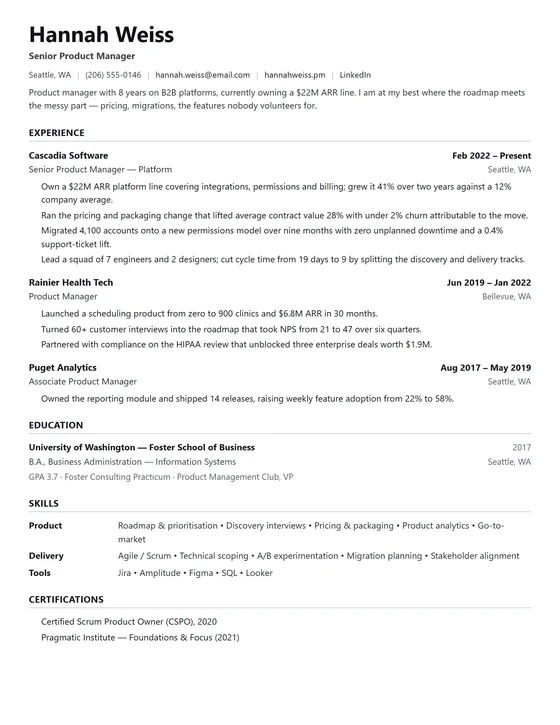
Two things worth saying plainly about these. The preview you build carries a watermark until you pay, so the picture above is what the finished PDF looks like, not what you can export for nothing. And a heavier design is not a better one: the ATS score cares about the text, not the styling, so if you are choosing between two of these, pick the one you will actually keep updated. The full set is in the template gallery.
What our free tier includes, and what it does not
Being straight about this matters more than the pitch. EvoResume has no free PDF download. If your requirement is paying nothing at any point, we are not your answer, and the last section names tools that are.
- Free, with no card: the whole editor, all 20 templates, unlimited editing, the live ATS score, 10 AI credits, and 10 of the 23 ATS checks reported in full with the offending lines quoted.
- Not free: the PDF download. Until you pay, the preview carries a watermark. The remaining 13 ATS checks report a category score rather than the individual findings, and the AI stops at 10 credits.
- What removing it costs: $4.99 once for a seven-day pass that does not renew and leaves no card on file, or $9.99 a month or $49 a year if you want it for longer.
Zety and EvoResume, side by side
Both tools are free to build in and charge for the PDF. The differences are narrower than a comparison table usually pretends, so here are the ones that are real:
- Shape of the charge. Zety's cheapest route to a PDF is a trial that becomes a recurring charge you must cancel. Ours is $4.99 once, for seven days, with nothing to cancel. If you want a year of access, Zety's $71.40 and our $49 are the comparable numbers.
- Free export. Zety wins this outright. It gives you a working text download on the free plan; we give you a watermarked preview and no free file.
- Choice of designs. Zety wins again on breadth, with a far larger gallery and pre-filled examples for hundreds of job titles. We ship 20 templates chosen for parsing rather than variety, and 25 worked samples with a written guide behind each, which is the trade of range for depth.
- Scoring detail. Ours is the more specific tool here: a live score that names each failing check and quotes the line that caused it, free, while you edit. Zety's Résumé Check reports 30+ issues but is not a live per-line score in the editor.
- Everything around the résumé. Zety has cover letters, job matching and a networking profile. We do cover letters and job tailoring, and nothing beyond that.
Other free options worth knowing
A page that only recommends its own product is not much use to someone who has just hit a paywall. These are genuinely free and worth your time:
- FlowCV. Unlimited résumés and free PDF downloads with no watermark. The closest thing to a no-catch free builder. Lighter on ATS guidance and AI help.
- Google Docs or Word. Free, universal, and parses well if you use a simple single-column template. You do all the optimisation by hand.
- Canva. Free PDF export and by far the best-looking results, with one important caveat: most of its résumé designs are multi-column with sidebars and text boxes, which is exactly what scrambles in an ATS. Use it when a human receives the file directly, not when software screens it first.
- We compared seven of these properly, including where ours falls down, in the best free Zety alternatives.
Whichever you choose, do the same last step: open the exported PDF, select all the text, and paste it into a plain text editor. If every job, date and bullet survives in the right order, an applicant tracking system can read it. If the paste comes out scrambled, the design is costing you interviews, and no amount of subscription fixes that.
Frequently asked questions
Can I download a free resume template from Zety?
You can fill in Zety's templates for free and download the result as a plain text file, but a formatted PDF or Word copy of that template needs a paid plan. Zety's terms also note that it offers free template examples that can be downloaded and modified, and its resume examples and guides are open to anyone. Checked 28 August 2026.
How do I download my resume from Zety without paying?
Use the export Zety includes on the free Basic plan: a plain text download of your finished resume. It has no formatting, but it contains everything you wrote. A PDF or Word file requires the Pro or Annual plan. If you would rather not subscribe, take the text file and rebuild the layout in another builder, or in Word or Google Docs.
Is Zety resume free?
Zety is free to build with, edit and preview, and free to export as plain text. It is not free to download as a PDF or a Word document. As of 28 August 2026, that download requires either the Pro plan, which starts with a 14-day trial and then bills $23.95 every four weeks, or the Annual plan at $71.40 paid once.
How much does Zety cost per year?
The Annual plan is $71.40 charged once, which Zety describes as $5.95 a month. Left running, the Pro plan costs more: it bills $23.95 every four weeks, and because a year contains thirteen four-week periods rather than twelve months, that comes to about $311 across thirteen charges. Prices checked on zety.com on 28 August 2026.
How do I cancel Zety?
Zety's terms say you can cancel at any time from the online cancellation page in your account settings, or by contacting customer service. Zety then sends an email containing a cancellation number to confirm the request, and its terms advise contacting customer service directly if that confirmation does not arrive. Cancel before the 14-day trial ends if you do not want the recurring charge to begin.
Does Zety refund you?
Zety's terms of service state that it does not guarantee refunds, and that you may request one if notice of cancellation is given before the end of the initial period where an initial period is offered. Third-party reviews sometimes quote a fixed money-back window that does not appear in those terms, so treat the trial as a commitment rather than a risk-free look, and cancel before it converts if you are unsure.
Does Zety delete my resume if I do not subscribe?
No. Zety's terms say a registered user can always view and edit their documents, and that this remains true even after cancelling a subscription, so the documents are waiting if you return. What you lose without an active subscription is the ability to print, download or share the formatted file, not the work itself.