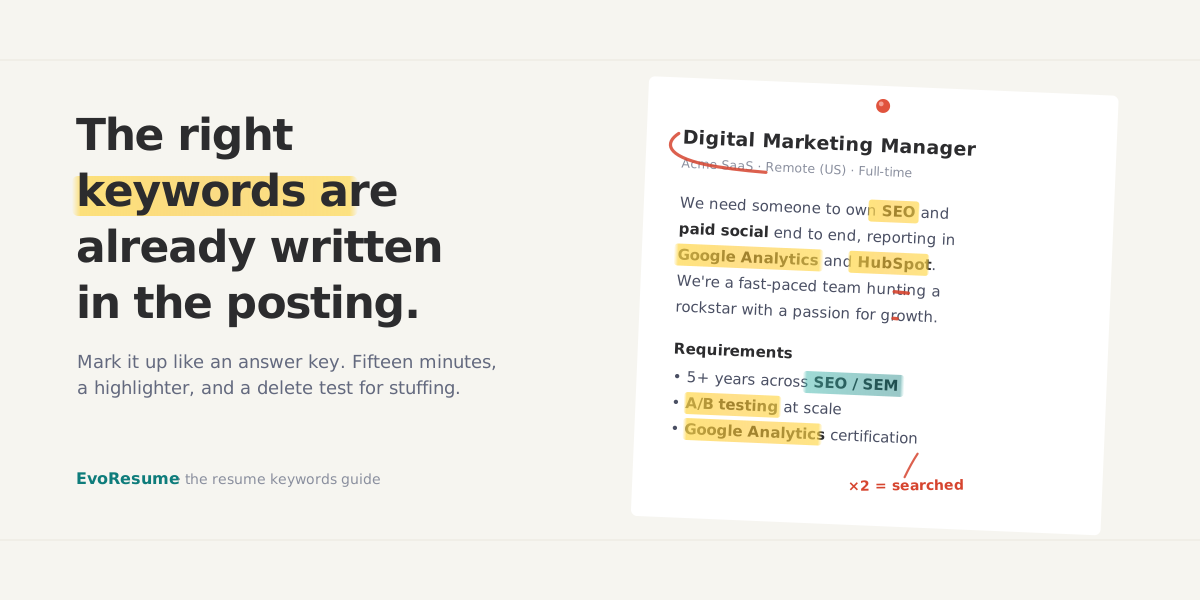
A recruiter with 214 applicants for one role does not read 214 resumes. She opens her ATS and searches it, the way you search your inbox: account management, then maybe HubSpot, then the job title itself. Every resume that contains those terms surfaces. Every resume that doesn't sits in the database, unread, regardless of how good the person behind it is. If you wrote "client relations" and she typed "account management", you didn't lose a comparison. You were never in the result set.
That search is what "resume keywords" actually means, and it's why the advice to "add keywords" is useless on its own: which ones? The answer is less mystical than the keyword-list articles suggest. The terms a recruiter searches for are the terms she put in the posting. This guide shows you how to pull them out of any job description in about 15 minutes, how to tell the five that matter from the twenty that don't, and where to place them so they read as evidence instead of stuffing. That standard has to hold for three readers: the parser, the AI screening layer that now sits behind it, and the human at the end.
What an ATS actually does with keywords
Clearing up one myth first, because it changes what you should do about all of this. In most companies the ATS is not a robot that reads your resume, counts keywords and auto-rejects you below a threshold. Workday, Greenhouse, Lever, Taleo and iCIMS are, at their core, databases with a search box. They parse your resume into fields (name, employers, titles, dates, skills) and then let recruiters query the result. Rejection by keyword usually isn't a machine saying no. It's a human never seeing you, because the search that would have found you came back without your name in it.
Two additions make this sharper in 2026. First, knockout questions ("Do you have a driver's license?") do auto-reject, but they're answered in the application form, and no resume keyword can save you from them. Second, an AI screening layer now sits between the parser and the recruiter at many employers, and it reads for meaning rather than string matches: it can tell "managed account renewals worth $2M" from a skills section that just says "account management". That layer is why the old tricks (stuffing, white text) now cost you rather than help, and why a keyword only counts when it's attached to something you visibly did. The scale of the filtering problem is real, though: a Harvard Business School study, Hidden Workers: Untapped Talent, found 88% of employers agreeing that their own screening tools reject qualified candidates.
The six kinds of keywords, ranked by weight
Not everything in a posting is a keyword, and the keywords aren't all worth the same. Six categories cover what recruiters actually search, roughly in order of how much each one moves your odds.
- The exact job title. The heaviest single term on the page. Recruiters search their ATS by the title they're filling, and Jobscan's analysis of roughly 2.5 million applications linked resumes containing the exact title to 10.6× more interview invitations. "Digital Marketing Manager", verbatim, as your headline, if your experience honestly supports it.
- Hard skills. The named competencies the posting asks for: SEO, financial modelling, wound care, contract negotiation. These are the terms that appear in the requirements list, which is the part of the posting written by the hiring manager rather than the brand team.
- Tools and software. Salesforce, Excel, Figma, Epic, AutoCAD, Python. Searched constantly because they're binary: you've used the thing or you haven't. Name versions or scale where it's meaningful ("HubSpot, 40k-contact instance").
- Certifications and credentials. PMP, CPA, RN, AWS Certified. Often a literal filter checkbox in the ATS, so spell them exactly, both abbreviated and in full.
- Methodologies. Agile, Scrum, Lean Six Sigma, GAAP, HIPAA compliance. These signal you can work the way the team already works.
- Soft skills, used sparingly. "Stakeholder management" or "cross-functional collaboration" earn a place only when the posting leans on them and you can attach them to a real example. A skills section made of adjectives matches no search and convinces no reader.
Notice what's missing: "team player", "passionate", "results-driven", "fast-paced environment". Culture copy isn't searchable and isn't a requirement. Marking it as ignorable is half the trick to reading a posting quickly.
Mine the posting in 15 minutes
Here's the manual method. It's the same thing paid tools automate, and doing it by hand at least once will permanently change how you read job ads.
Digital Marketing Manager · Acme SaaS · Remote (US) We're a fast-paced team looking for a rockstar to own SEO and paid social end to end. You'll run campaign reporting in Google Analytics and HubSpot, and lift conversion rate across the funnel. A self-starter with a passion for growth will thrive here. Requirements · 5+ years in SEO / SEM, including A/B testing · Google Analytics certification preferred · Comfortable presenting to stakeholders
- Paste the posting into a blank document. Working in a copy lets you mark it up, and it keeps the posting available after the ad is taken down, which often happens exactly when you get the interview and want to prep from it.
- Highlight the exact job title, plus any variant in the first paragraph ("Senior Digital Marketing Manager" vs "Marketing Manager, Growth"). That's tier one, done.
- Mark every hard skill, tool, certification and method, and count repeats. A term used four times across the summary, responsibilities and requirements is load-bearing. A term used once in a wish-list sentence is not.
- Split what you marked into two tiers. Must-have: repeated terms, and anything in the requirements section. Nice-to-have: mentioned once, or prefixed with "preferred", "bonus", "a plus".
- Cross out the culture copy: rockstar, self-starter, passion, dynamic. It's not searchable and it's not a requirement; it's the brand team talking.
- Repeat on two more postings for the same role at other companies. Terms that survive all three are the vocabulary of the job itself, and they belong in your master resume, not just this application.
Where keywords go (and where they're wasted)
Placement decides whether a keyword works twice, once in the recruiter's search and once in her six-second skim, or not at all. Contact details buried in a page header vanish in many parsers, and the same is true of any keyword trapped in a text box, a table or a sidebar. On a clean single-column layout (if yours isn't one, fix that first, it outranks everything in this section), four placements do the work.
Set it to the exact target title
Recruiters search their ATS by the title they are filling, and resumes containing the exact title were linked to 10.6x more interviews in Jobscan's data. State a direction you can defend, never a job you didn't hold.
1. The headline. One line under your name, set to the target title: the 10.6× lever from the data above. This is a statement of direction, and it has to be one you can defend. "Digital Marketing Manager" over five years of marketing roles is honest; over a retail history with no marketing in it, it's a claim you'll be asked about in the first five minutes.
2. The summary. Two or three must-haves, woven into sentences that also carry your level and best number. This puts the terms in the first 100 words, where both skim-readers and screening models weight them most.
3. The skills section. The must-have list, almost verbatim, because this is the block recruiters' searches hit most, and surface form matters there. Write both forms where an acronym exists: Search Engine Optimization (SEO) matches whichever one the recruiter happens to type. Same for CPA, PMP, RN, CRM.
4. The bullets. This is where a keyword becomes evidence, because it sits next to a number and a result. A term that appears in your skills list but nowhere in your work history reads as decoration to the AI layer and to any recruiter who looks for ten seconds.
Skills: SEO, A/B testing, Google Analytics. And no bullet anywhere that shows any of them in use.
Grew organic traffic 64% in 12 months by rebuilding the SEO content pipeline; ran 30+ A/B tests in Google Optimize, lifting signup conversion 18%.
Tailoring for each application without a rewrite
Around 54% of candidates send the identical resume to every job (Resumly, 2025), which is grim and also good news: tailoring puts you ahead of half the field by itself. Teal's data across 3.2 million users links tailoring to being up to 6× more likely to land the interview, and Jobscan has long measured a 30 to 50% callback lift. The reason it works is mechanical, given everything above: every posting weights its vocabulary differently, so a fixed resume matches each search partially and none of them well. Our own round-up of what the 2026 hiring data says puts tailoring second only to the job title itself.
Tailoring doesn't mean rewriting. Keep a master resume that holds everything, and for each application change about 20% of it: the headline to this posting's title, the summary's two or three lead terms, the skills list swapped toward this posting's must-haves, and your two most relevant bullets promoted to the top of the current role. Fifteen minutes once you've done it twice. If you're translating experience across an industry line (teacher to project manager, nurse to operations), the same move has a name, and we've written up how to build a translation matrix without lying.
Keep the versions in a builder, not in twelve Word files
The workflow above dies in practice for a boring reason: version sprawl. Resume_final_v3_ACME.docx, a formatting mistake introduced at 1am, and no idea which version went to which company. The EvoResume builder is built around exactly this loop. Your saved resumes live in one dashboard instead of a Downloads folder, and a live ATS score updates as you type, with keyword coverage among its scored categories, so you watch a tailoring pass move the number in real time instead of guessing. The Tailor tool in Pro takes it further and keeps a version per role, adapted to each posting without starting over.
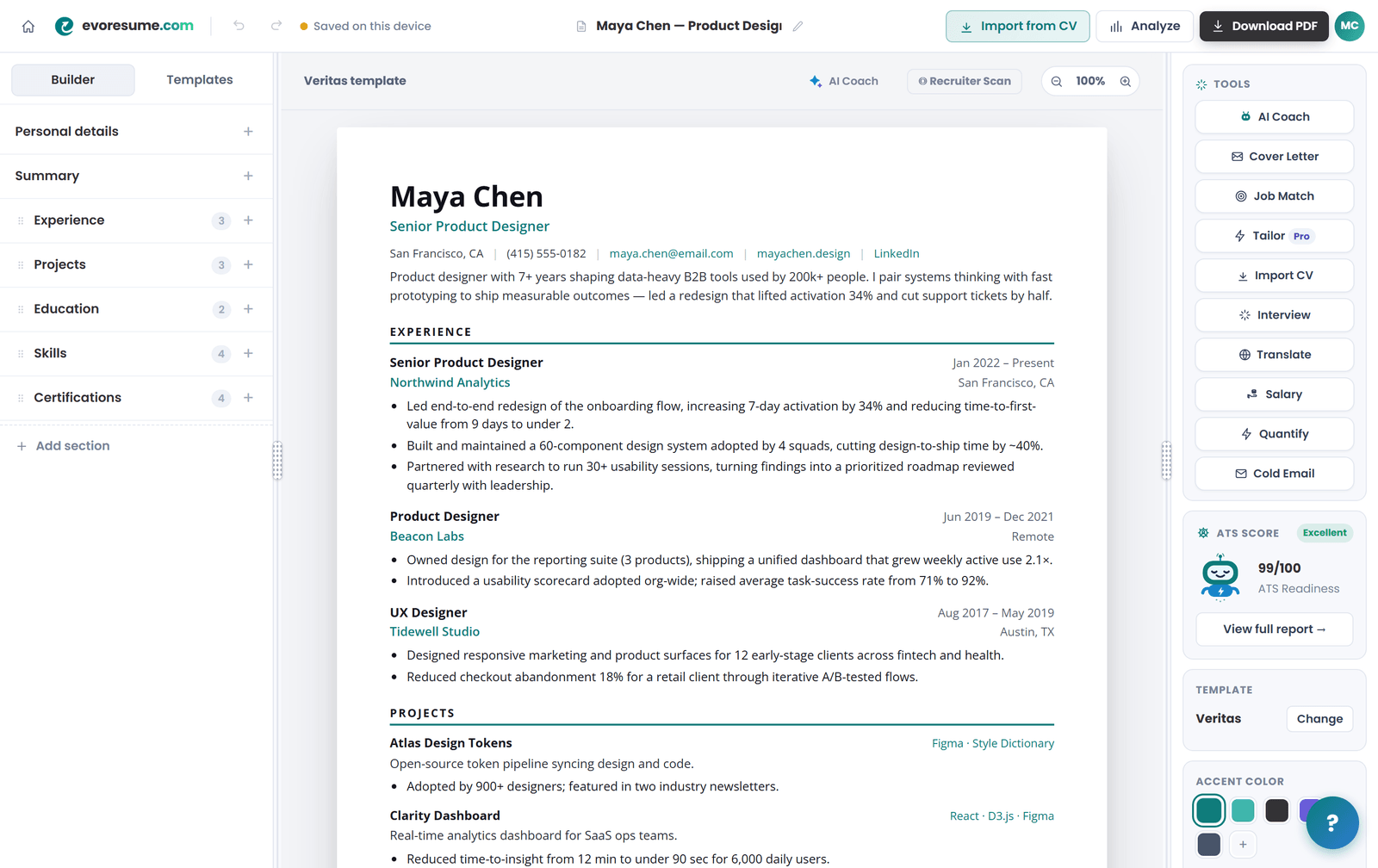
The container problem is handled the same way: there are 20 templates, every one checked against the things that break a parser, and you can switch between them without retyping a word, so picking a look never costs you your keyword work. Building, editing and previewing are free with no card; downloading the finished PDF is what a plan buys, from a one-time $4.99 for seven days that does not renew.
Tailor once, keep every version straight
Free to build and preview, with a live ATS score as you type. Import the resume you already have and start from there.
The 20-second version: paste the posting, see the gap
Everything above is doable by hand, and the skill transfers to interviews, so learn it once. But it's four separate jobs (extract, tier, place, verify) repeated for every application, and the verify step is genuinely hard to do on your own resume, because you read what you meant instead of what's on the page. Try it on the sample posting's list:
Which of these does your resume contain, verbatim?
Tick the terms your resume already contains, word for word. This is the sample posting's list; Job Match in EvoResume Pro builds it from any posting you paste and checks it against your actual resume, with the missing terms ranked by impact.
That verification is the part we automated. EvoResume Pro's Job Match takes a pasted posting and returns your match rate plus the exact terms you're missing, ranked by how much each one matters in that posting. It's the tiering from this guide, run against your actual resume instead of a sample.

The honest funnel, as usual: the ATS score checker is free and needs no card. It gives a score out of 100 with the biggest problems named, including whether your skills and bullets carry searchable terms at all. Job Match against a specific posting, AI rewrites and the PDF download are Pro, from a one-time $4.99 for seven days, and it does not renew. If you'd rather do the whole thing manually with the steps above, this article is complete without the tool; the tool exists for application number eight, when doing it by hand has stopped being educational.
The checklist, before you hit apply
- Headline matches the posting's exact job title, and your history can defend it.
- Every must-have term from the posting appears somewhere true, or you've made peace with the gap.
- Acronyms appear in both forms: Search Engine Optimization (SEO).
- Each keyword in your skills list also shows up in a bullet, next to a number.
- Culture fluff from the posting stayed in the posting.
- No keyword survives the delete test as a sentence about nothing.
- Single column, standard headings, selectable text: the container still scores cleanly.
See what a recruiter's search finds in your resume
Free ATS score in about ten seconds, no card. Upgrade to Pro when you want the per-posting keyword gap, ranked by impact.
Frequently asked questions
What are resume keywords?
The specific terms recruiters type into their applicant tracking system to find candidates: job titles, hard skills, tools, certifications and methodologies. They come from the job posting itself. The recruiter searches for the vocabulary she wrote into the ad, which is why mining the posting beats any generic keyword list.
How many keywords should a resume have?
There's no magic number and no density target. Cover the posting's must-have terms once each, honestly placed. That's typically eight to twelve terms across the title, skills, tools and certifications it repeats or lists as requirements. One appearance in a bullet next to a real result outweighs five appearances in a skills dump.
Do ATS automatically reject resumes that are missing keywords?
Mostly no. Knockout questions in the application form auto-reject; keywords usually don't. What actually happens is quieter: recruiters search the ATS database by keyword, and resumes missing the terms never appear in the results. You aren't rejected; you're unfound, which ends the same way.
Should I copy and paste the job description into my resume?
No. Mirror it selectively: the exact title in your headline, the must-have skills in your skills section, the key terms inside bullets that show real results. Wholesale copying produces sentences about nothing, which AI screening layers and recruiters both recognise. Hiding the pasted text in white font makes it worse, because parsers strip formatting and expose it.
Can I use the same keywords for every job application?
Keep a master resume with your full vocabulary, then adjust roughly 20% per application: the headline, the summary's lead terms, the order of your skills list, and which bullets sit on top. Every posting weights its language differently, and around 54% of candidates never adjust at all, which is exactly why the ones who do stand out.
How do I check my resume's keyword match against a job posting?
Manually: mark up the posting with the method in this guide and check each must-have term against your resume. Automatically: EvoResume Pro's Job Match takes a pasted posting and returns your match rate and missing terms ranked by impact. The general ATS score check (structure, searchability, quantified impact) is free and needs no account.