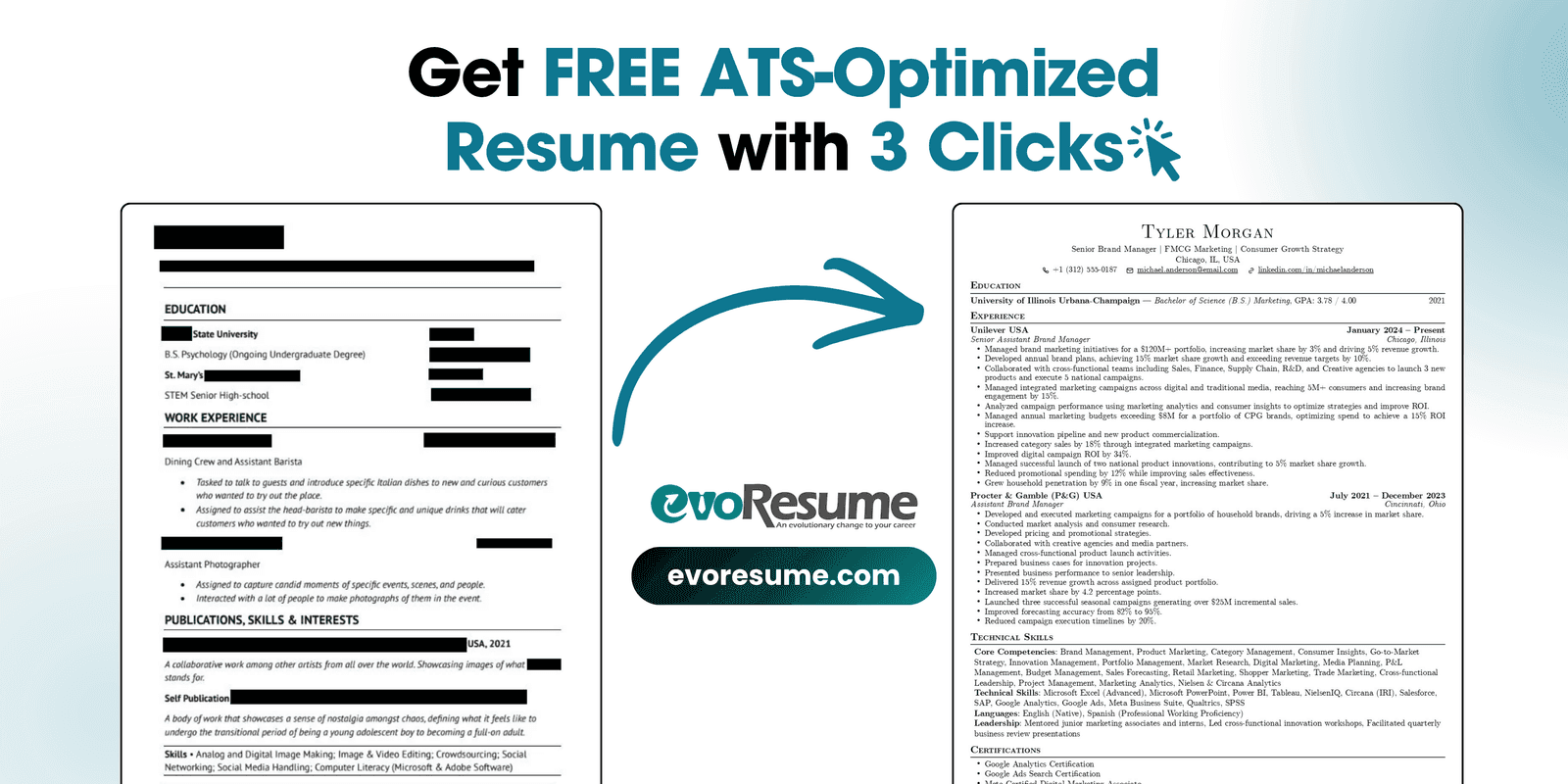
Here's the uncomfortable truth about the resume sitting in your Downloads folder: it's probably fine to read and quietly failing to be read. Not by a recruiter — by the applicant tracking system (ATS) that stands between you and the recruiter. Two-column layouts, sidebars, skill bars, a header with your contact details, a splash of colour from a design template: all of it looks great to you and parses into garbage inside Workday, Greenhouse, Lever, Taleo or iCIMS. The frustrating part is that the content is usually good. It's the container that's sinking you.
So the fix most people reach for — "start over and write a brand-new resume" — is the wrong fix. You don't need new content. You need your existing content poured into a container the machines can read. This guide shows you how to do exactly that: upload the resume you already have and let AI rebuild it into a clean, ATS-readable layout, in about three clicks. No LaTeX, no design skills. Then we'll cover the honest question that comes next: how do you know it actually passes?
Why converting beats starting over
Rewriting a resume from a blank page is slow, and it throws away work you already did. The higher-leverage move is a format conversion: keep your real experience, dates and achievements, and change only the structure the ATS chokes on. Here's what actually breaks parsing — and what converting fixes automatically.
- Two columns. The #1 cause of scrambled parsing. An ATS reads across the page, so a two-column design interleaves your skills sidebar into the middle of your job history. A single-column rebuild fixes this instantly.
- Contact details in the header or footer. Many parsers ignore those regions entirely, so your email and phone vanish. A rebuilt template puts them in the body.
- Tables, text boxes and graphics. Skill-rating bars, icons and boxed sections frequently drop out or parse out of order. Plain text and standard bullets don't.
- Non-standard headings. "Where I've Made Magic" doesn't map to a field the parser expects; "Work Experience" does.
- Text saved as an image. If your resume was exported as a picture, the ATS sees a blank page. A real PDF with selectable text is readable.
The 3-click walkthrough
The whole flow lives inside the builder. You'll import your existing file, let AI extract everything, apply it to a clean template, and download. Four short screens, about three clicks of real decision-making.
Step 1 — Open the builder
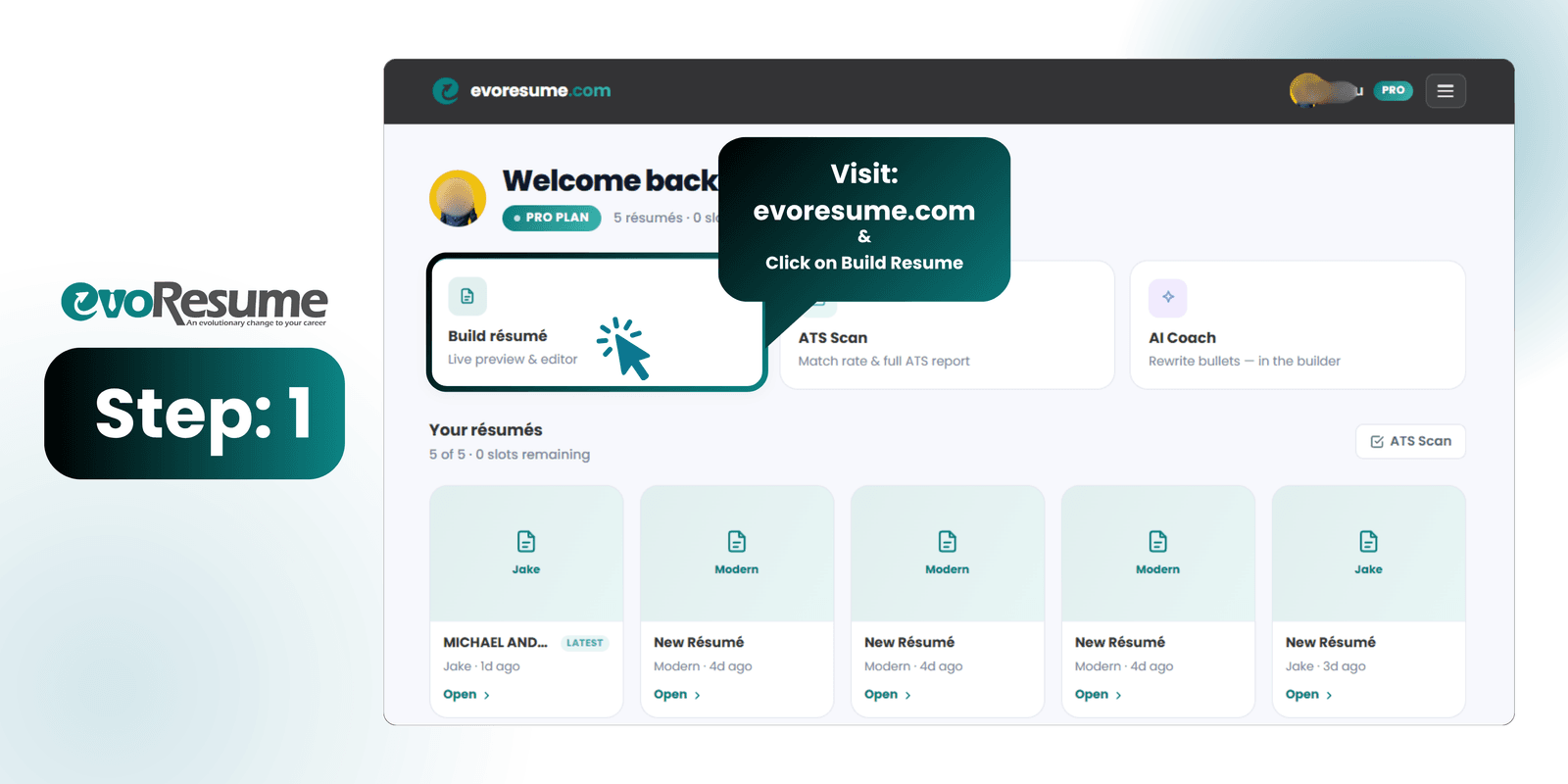
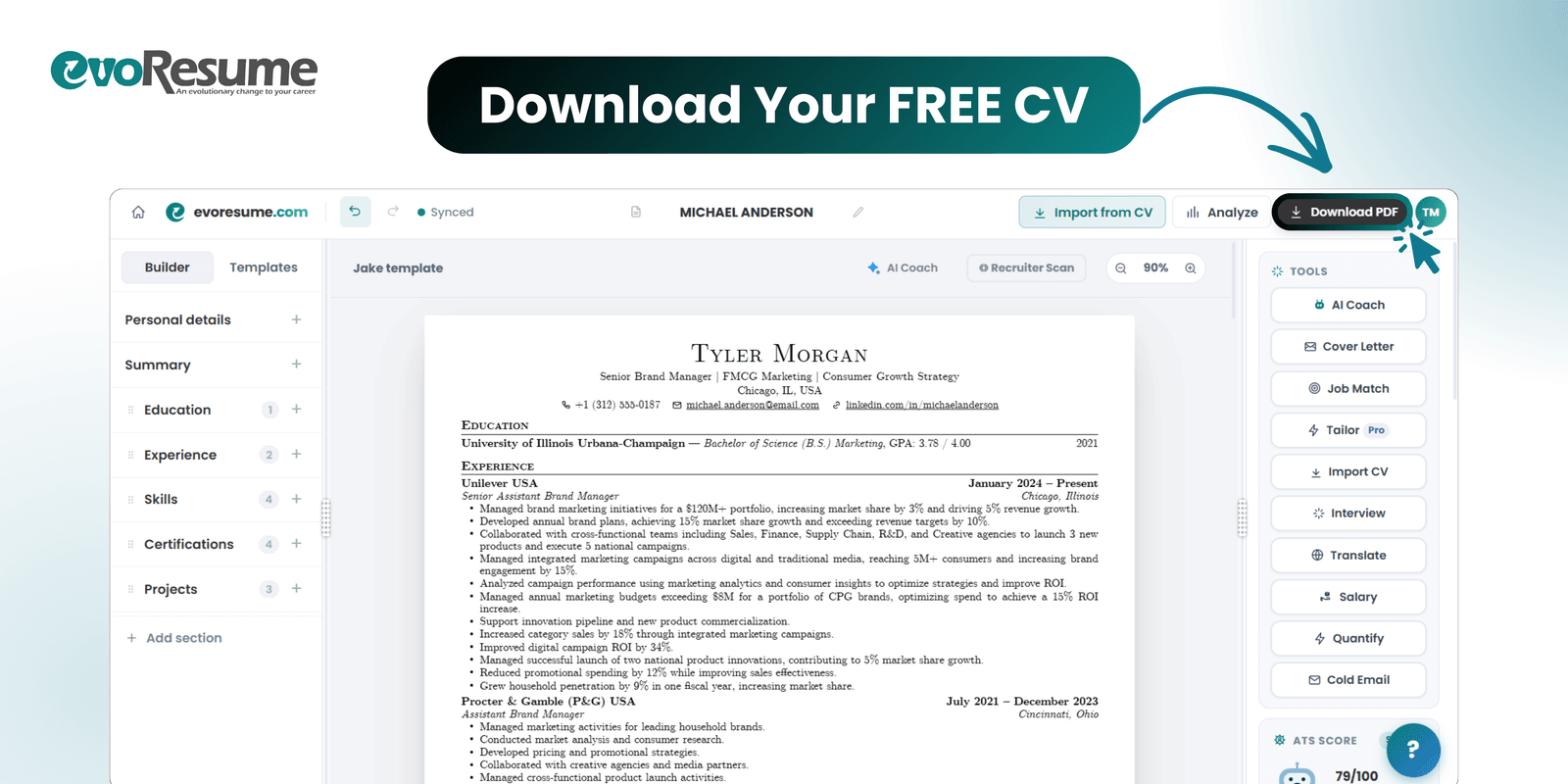
Go to app.evoresume.com and click Build résumé. This drops you into the live editor — a two-pane workspace with your resume on the right and section controls on the left. You don't need to fill anything in yet; you're about to import it.
Step 2 — Upload your old resume and let AI read it
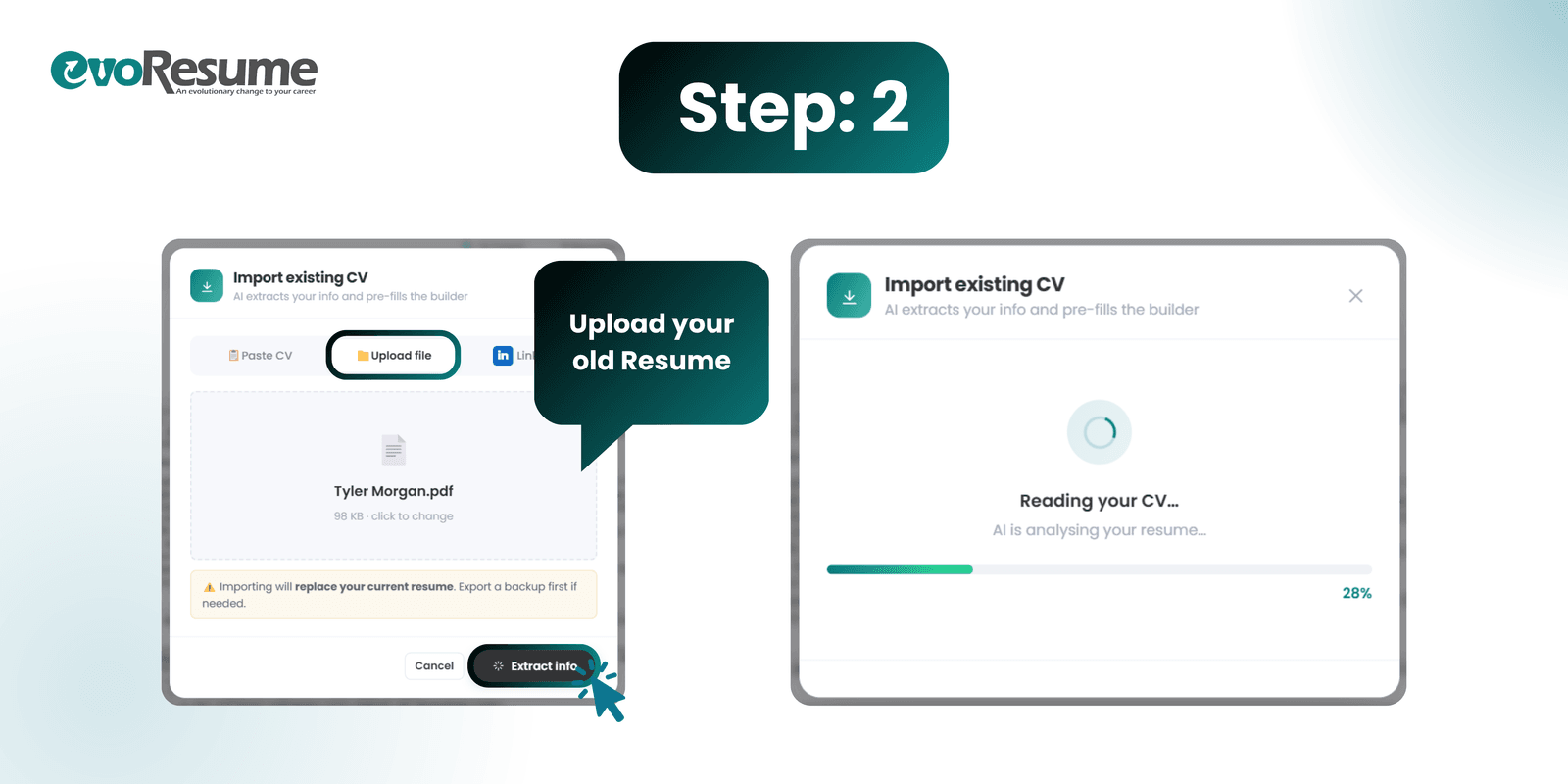
Inside the builder, open Import from CV and choose Upload file (you can also paste raw text or pull from LinkedIn). Drop in your current resume — PDF or Word — and click Extract info. The AI reads the whole document and pulls out your contact details, every job, your education, projects and skills. This is the click that saves you an hour of retyping.
Step 3 — Review what it found, then apply it
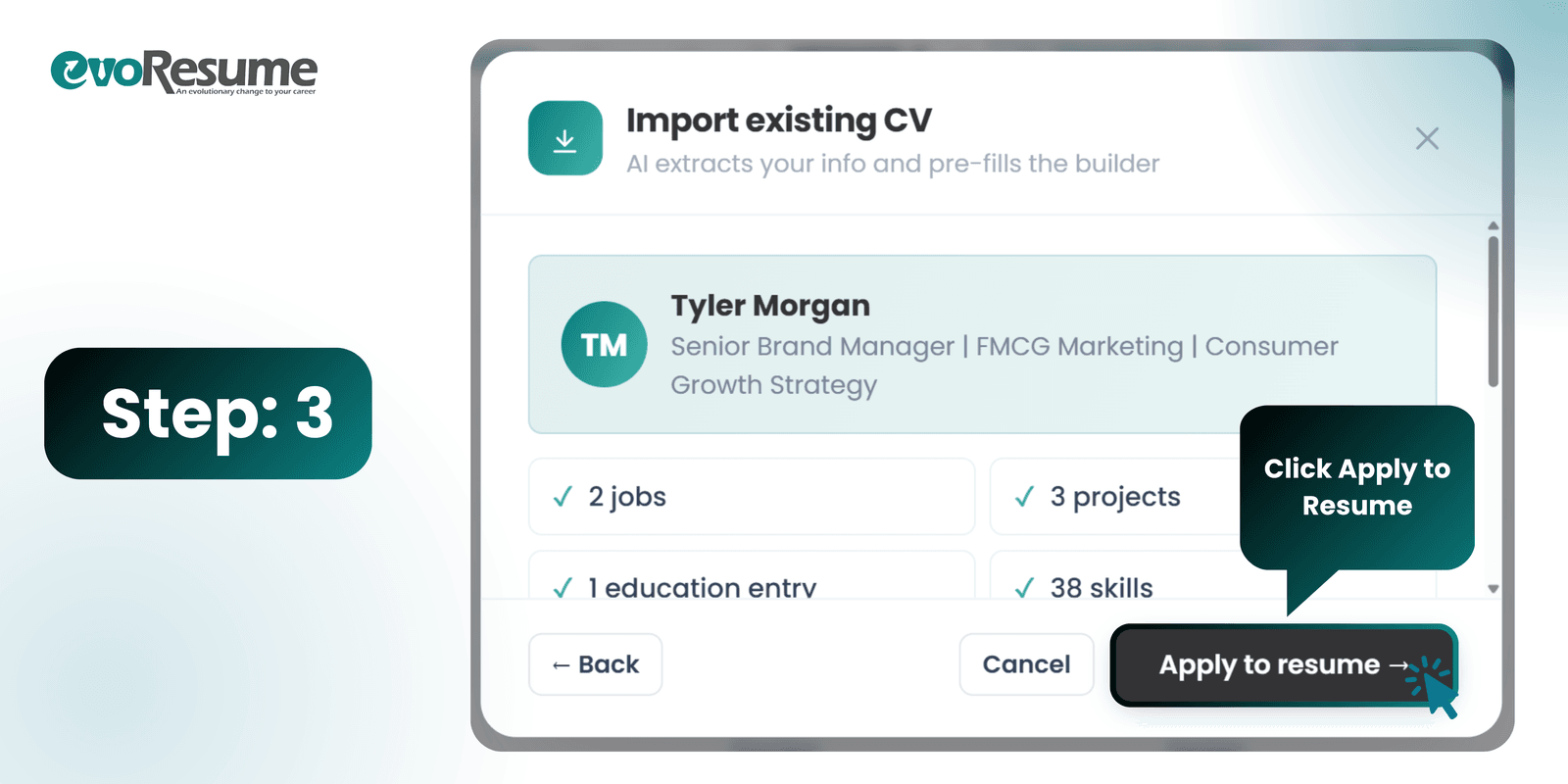
The AI shows you a summary of what it extracted — your name and headline, plus counts like 2 jobs, 3 projects, 1 education entry, 38 skills — so you can sanity-check nothing was missed. When it looks right, click Apply to resume. Your real content now lands in a clean, single-column, ATS-verified template instead of the layout that was breaking the parser.
Two-column design template: skills sidebar, contact info in the header, colour accents — parses into scrambled, out-of-order text.
Single-column, standard-heading layout with selectable text and contact details in the body — parses cleanly, top to bottom.
Step 4 — Check it, then download
Tweak anything you like in the live editor — the preview updates as you type — then click Download PDF. You get a proper PDF with real, selectable text (never a locked image), named professionally, in a layout that reads correctly in every major ATS. That's the free deliverable: an ATS-friendly resume, rebuilt from the one you already had.
"But did it actually pass?" — the part worth upgrading for
A clean layout gets you parsed. It doesn't tell you whether you'll rank for a specific job — whether you're missing the keywords that posting screens for, whether your bullets carry enough quantified impact, whether a recruiter's six-second skim lands on your best material. Answering that is what EvoResume Pro is for, and it's where free resume tools stop and results begin.
- ATS Score — a 0–100 readiness score with category bars (contact, quantified impact, action verbs, keyword coverage, formatting, structure) so you see exactly what's dragging you down and fix it before you apply.
- Recruiter Scan — a deeper report that reads your resume the way a recruiter's tools do, flagging what a human skim will miss or trust.
- Job Match — paste a job description and see which important keywords you're missing, ranked by impact, so you can work the true ones into real bullets.
- AI Coach — an assistant that has read your entire resume and rewrites weak bullets, tightens your summary, and explains your score in plain English.
- Tailor — adapt the resume to a specific posting without starting over, keeping a version per role.
Before you hit apply: a 60-second check
- Single column, standard headings (Work Experience, Education, Skills), selectable text — passed the copy-paste test.
- Contact details in the body, not the header or footer.
- Every job in reverse-chronological order with consistent date formatting.
- Top third shows your level and best quantified result within six seconds.
- File named Firstname-Lastname-Resume.pdf, exported as a real PDF.
- Content is yours and true — AI reformatted it; it didn't invent it.
Want the full theory behind those three gatekeepers — the parser, the AI screener, and the recruiter? Read how to make a resume in 2026 that passes the ATS bot and the recruiter scan. Prefer to start from a verified layout rather than convert? Browse the ATS-verified templates.
Turn the resume you have into one the bots can read
Import your old CV and AI rebuilds it into a clean ATS layout in about three clicks. Free to build and preview; $4.99 once when you want the PDF.
Frequently asked questions
Is the resume builder free?
Free to build, paid to download. Importing your existing CV, having AI rebuild it into a single-column template, editing it and previewing the result all cost nothing and need no card. Downloading a watermark-free PDF needs a plan, starting at a one-time $4.99 that covers seven days and does not renew.
Do I have to rewrite my resume from scratch?
No — that's the whole point. You upload the resume you already have, and the AI extracts your real content (jobs, dates, education, projects, skills) and pours it into a parser-safe layout. You keep your experience; only the structure the ATS chokes on changes.
What file types can I import?
PDF and Word documents both work. You can also paste raw resume text or pull details from your LinkedIn profile if you'd rather not upload a file.
Will importing overwrite my current resume in the builder?
Yes — importing replaces whatever is currently loaded in the builder. If you've already been editing something there, export a backup first. If you're starting fresh, there's nothing to lose.
How do I know the converted resume actually passes the ATS?
The conversion fixes the structural issues that cause parsing failures — single column, standard headings, selectable text, contact details in the body. To see a concrete 0–100 readiness score and a per-keyword match against a specific job, run the ATS Score and Job Match tools in EvoResume Pro.
Is the exported PDF ATS-safe?
Yes. EvoResume exports a real PDF with selectable text — not an image — in a single-column layout with standard headings, which is what modern ATS parse reliably. Run the copy-paste test on any resume before applying to confirm the text is readable.