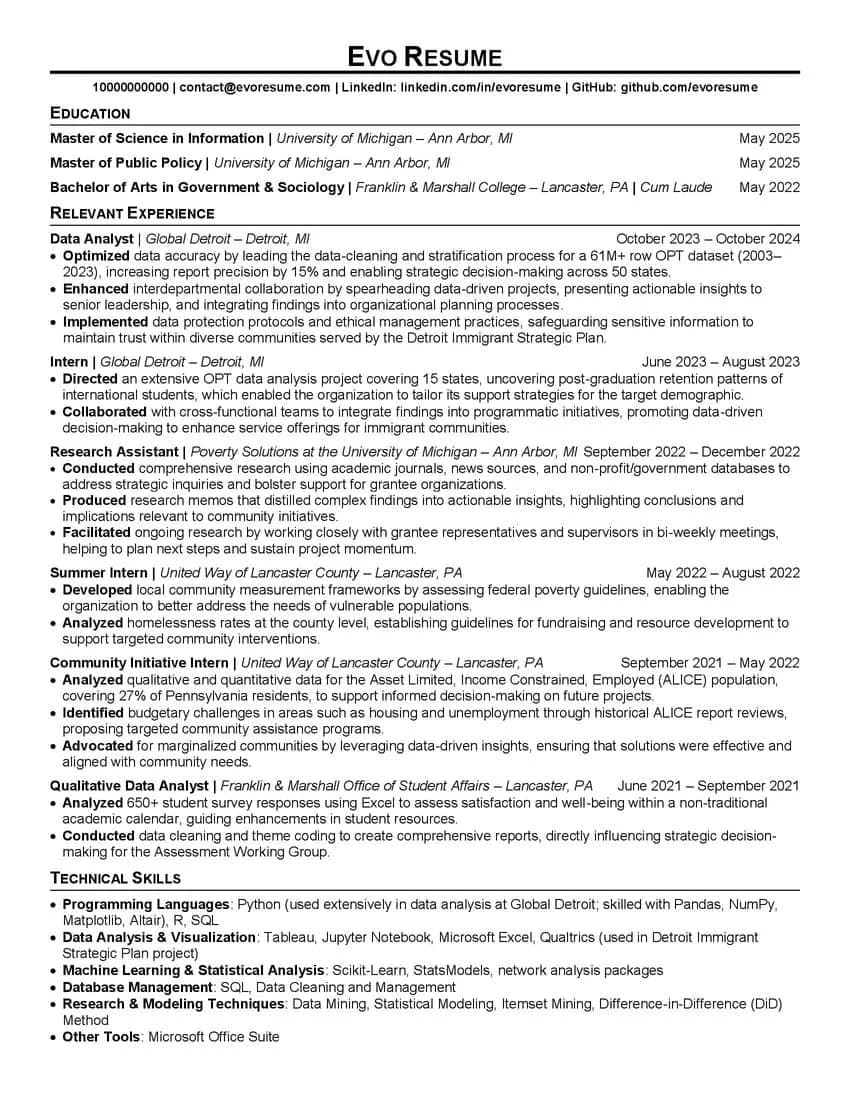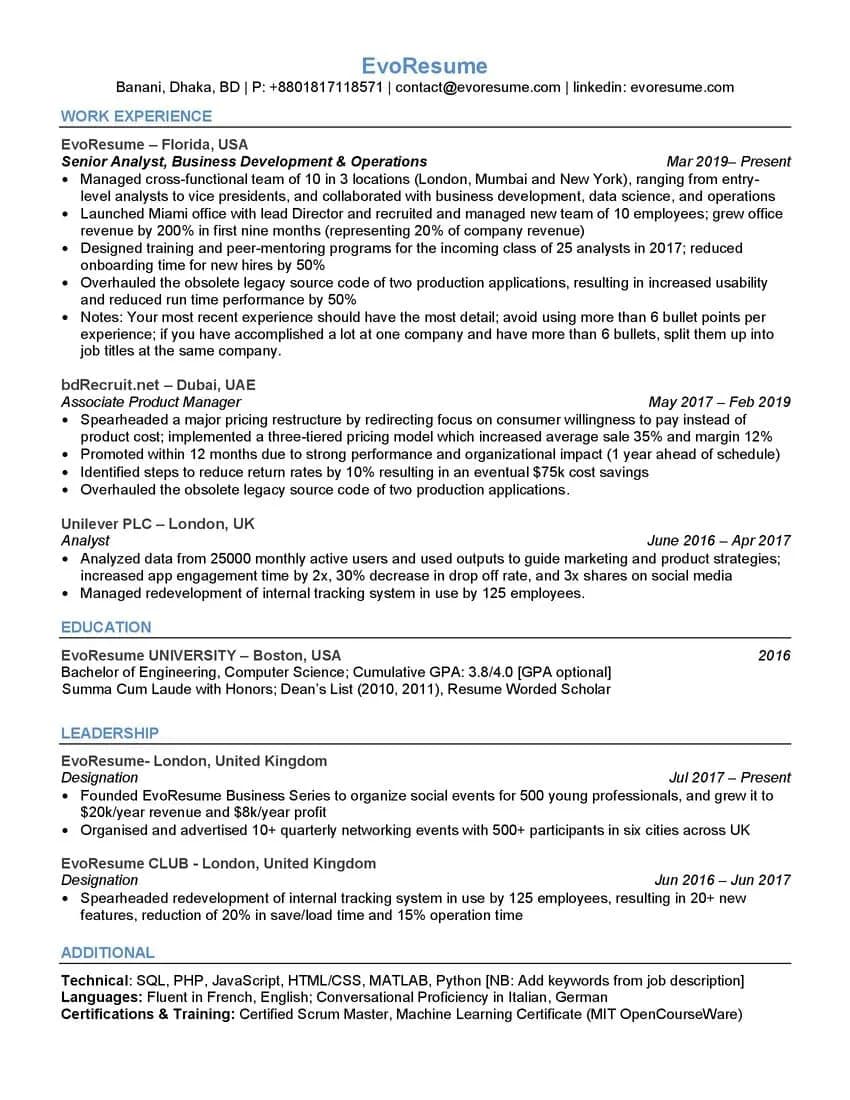
ATS Template 2026
The single-column Word template with the coaching notes left in.
Regular price $10, now $1.
View the ATS Template 2026 →Once you're past the screen, your resume stops being a data source and becomes the agenda for the conversation. This one is laid out for that room: a summary that commits to numbers, a competency strip to be asked about, and bullets deep enough to be questioned.
Paid once. No account, no renewal. The download link shows on the next screen and arrives by email.
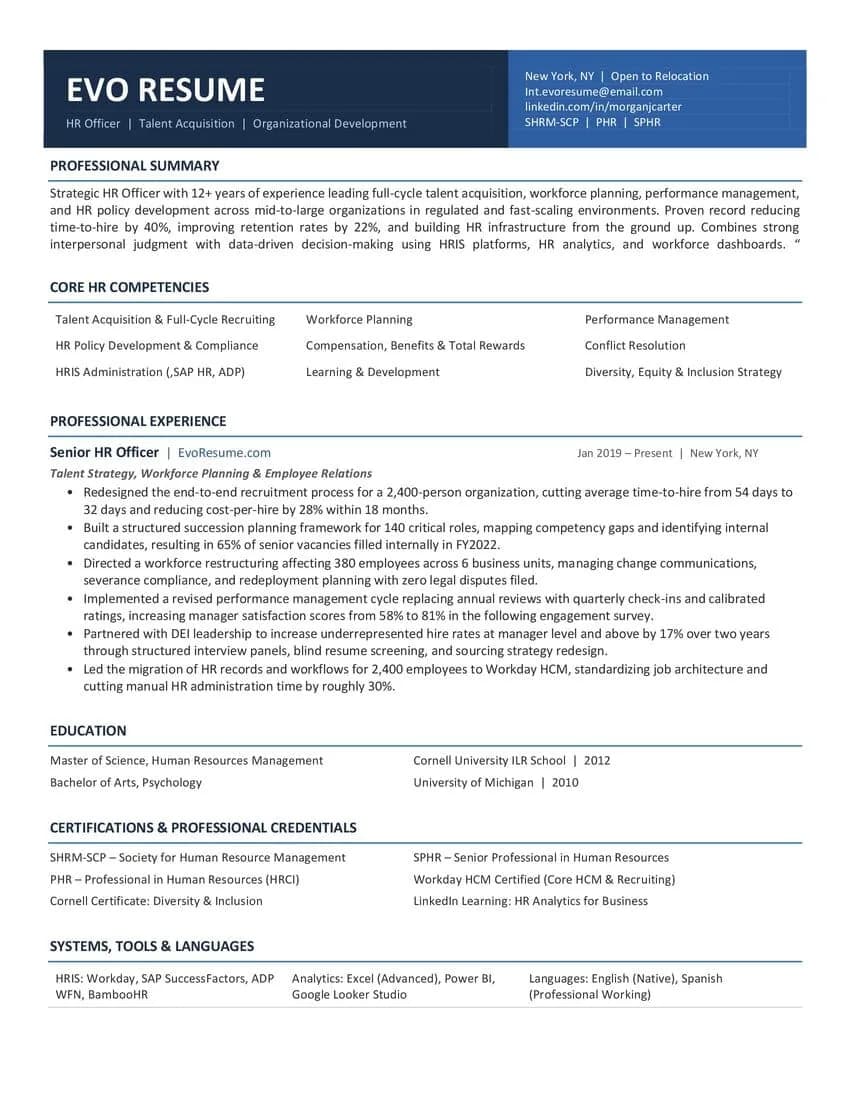
The other two templates are built to survive the machine. This one assumes you've cleared it and the next reader is holding a printout with your name at the top and nine minutes booked.
The band across the top carries your name, the two or three titles you're actually targeting, your location and relocation status, and your credential letters. A recruiter picking it up knows the category you're in before reading a single date.
Years in the field, then the thing you cut, then the thing you raised. Time to hire down 40%, retention up 22%. That's the paragraph an interviewer reads out loud before asking their first question, so it's worth writing last and rewriting twice.
Nine terms in three columns, sitting above the history. It's where the posting's own language goes, and it doubles as the answer sheet for "tell me what you actually do". Only put terms up there you can hold a two-minute conversation about.
The current role carries six bullets, each ending in a figure and a timeframe: a 2,400-person restructure, time to hire from 54 days to 32, manager satisfaction 58% to 81%. Bullets built like that give an interviewer somewhere to go, which is the whole job of the document by that point.
Certifications, systems and languages sit in their own blocks near the bottom. They're findable, and they're not competing with your outcomes halfway up the page.
The competency strip, education, credentials and systems blocks are laid out with borderless Word tables. Nothing sits in a header, a footer or a text box, but tables are the one structure parsers genuinely disagree about. For a high-volume portal application, send the Top ATS template instead and keep this one for the recruiter, the referral, and the printout you take in. Whichever you send, run it through the score checker first.
You'll end up with two versions of this file: one for a named recruiter and one trimmed for portals. Start by keeping the original intact.
Name, then the two or three job titles you're applying for, then location and whether you'll relocate, then your credential letters. Use the titles from the postings you're chasing, not your current internal job title.
What you are and for how long, then two outcomes with figures attached. Skip it on the first pass; you'll write it far better once the experience section below is done.
Taken from the posting, and each one something you could talk about for two minutes. Anything you'd rather not be asked about doesn't belong in a strip this prominent.
Each one: what you changed, how big it was, what moved as a result. Earlier roles get three. A bullet without a figure or a scale is a line an interviewer has no question to ask about.
Every credential, HRIS platform and language goes into the blocks at the bottom. Bullets are for outcomes; a certification listed mid-outcome breaks the read.
This one is designed to be read on paper across a table. If the header band or the competency strip breaks across a page when printed, fix that before the interview rather than after.
Run the PDF through the score checker. If you're applying through a strict portal rather than emailing a person, send the plain template instead and keep this one for the room.
Each is a dollar and each does one job well. Browse all three, then read the table below for the detail, or see them together in word resume templates.
| ATS Template 2026 | Top ATS Template | Interview TemplateYou're here | |
|---|---|---|---|
| Leads with | Work experience | Education | Summary and competencies |
| Layout | Single column, no tables | Single column, no tables | Single column, borderless tables |
| Written for | A rewrite from scratch | High-volume portal applications | The read across the table |
| File | Word .doc | Word .docx | Word .docx |
The sample content is an HR Officer's because that role fills a competency strip well. The structure is field-agnostic. Swap the nine competencies and the bullets and it works for operations, finance, engineering management or anything else senior enough to need a summary.
They might. Borderless layout tables in the document body are handled by most modern parsers and mishandled by some older ones, and there's no way to know in advance which one a given employer runs. That's why this is the template for a human reader, and why the Top ATS file exists for everything else.
Yes. Select it and clear the shading for a plain text header. You lose the scan-in-one-second effect and gain a file that's safer to send anywhere.
No. Pay, and the download link appears on the next screen and arrives by email. It works for 30 days and up to 25 downloads.
That's what it is. Every line is placeholder text meant to be replaced. What you're buying is the structure: which sections appear, in what order, and how each bullet is phrased.
No. This is a Word file you edit yourself, paid for once. The builder scores your resume as you write it and exports a PDF, and it's priced separately from $4.99.
Want the score as you write instead of a file to edit? Build it in the editor, or read the reasoning behind every layout choice.
$10 normally, $1 while the launch price holds. One file, yours to keep.
Paid once. No account, no renewal. The download link shows on the next screen and arrives by email.